
Ever since I was a kid, I hoped I'd live to see the day when we had proper holograms like those in Star Wars. Of course, I hoped that real-life holograms would be a little higher quality than the fuzzy, often broken-up counterparts in the sci-fi series, and it looks like I'm mostly getting my wish thanks to Meta.
At Meta Connect 2026, the company debuted a new type of digital avatar system it simply calls Holograms. The company has substantially revised its avatar system over the years, from the extraordinarily ugly original release to 2024's modern upgrade, and now avatars are getting a truly realistic makeover, starting in WhatsApp calls.
Holograms are made from scans you take with your smartphone using Meta's app. During my demo, I completed a scan for use on Meta Ray-Ban Display glasses and standard WhatsApp calls, which took about 60 seconds to set up. During onboarding, the app had me turn my head in a few directions, then answer some questions out loud so it could learn my mannerisms.
The Meta rep then put on his Meta Ray-Ban Display glasses, walked into the other room, and called me from the glasses. When I answered the WhatsApp call, he appeared on screen as if it were any normal day, not wearing glasses at all. Despite what my eyes were telling me, the video I was seeing was not actually him; it was his Hologram.
You can see the difference in the video above: it shows me on the video call (with my Hologram on the phone), then a close-up of the phone showing the rep's Hologram, followed by his real video. The results are uncanny. Even a bit scary, perhaps.
As you might have imagined, this all uses Meta AI. The initial 60-second scan I described earlier is followed by 5-10 minutes of server-side processing, where Meta AI creates a personalized model of your imagery for Hologram-friendly apps. On Meta Ray-Ban Display glasses, this video call appears on the glasses' display and lets the other person see you on the call without needing cameras on the glasses looking at you.
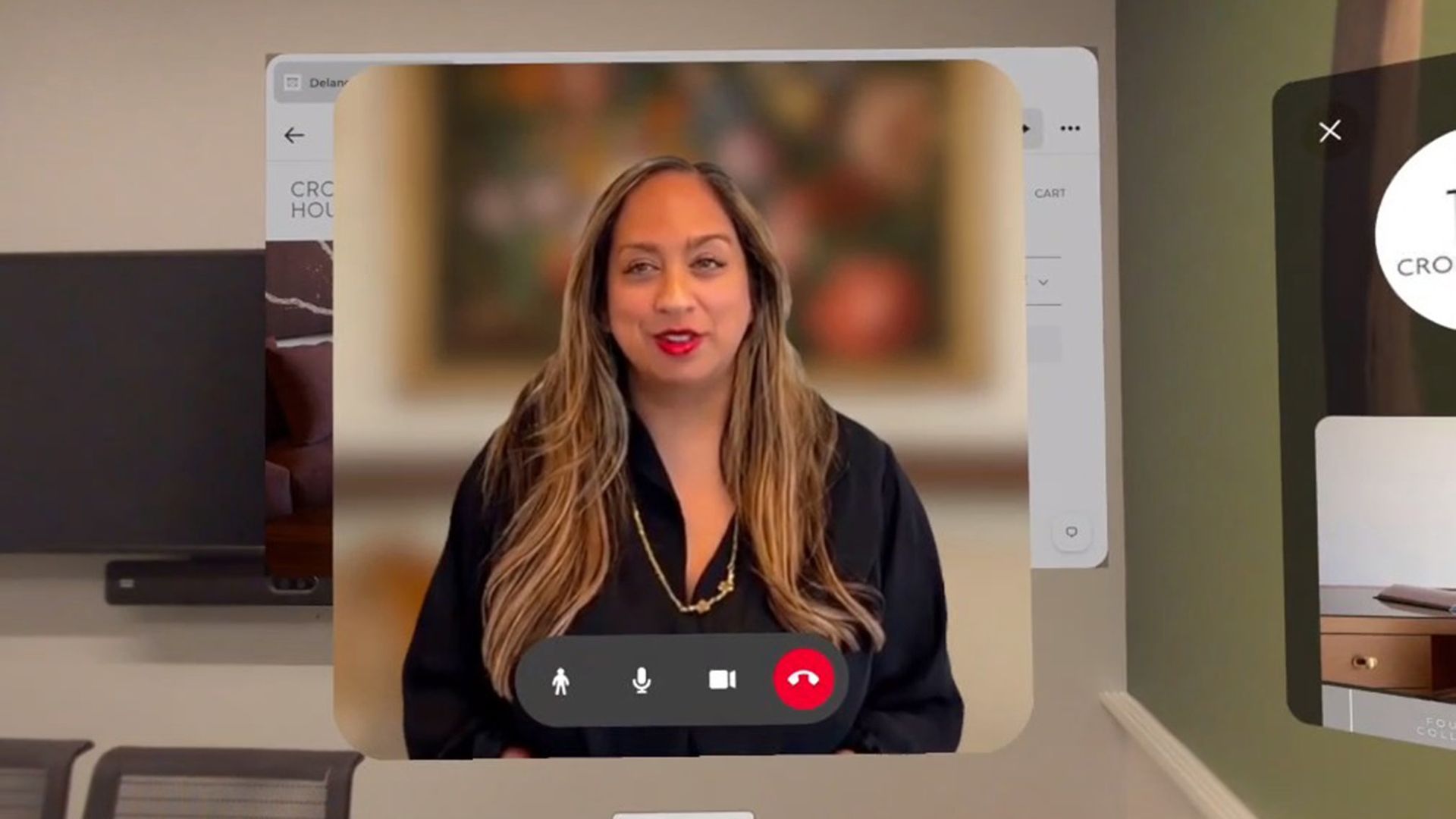
This tech gets even more amazing when you answer a call in VR. For the demo, I used Meta VR Glasses, which give me full-color passthrough video so I can see the room around me. Calls normally appear in a floating window and show the same Hologram you'd get on WhatsApp on a phone, though holograms in VR have a 3D spatial quality.
Things get even cooler when you tap the full-person button, as the call window melts away and the person suddenly stands in front of you in the room at their correct height and proportions. It's a real-life hologram, and it moves impressively convincingly, matching the person's voice and inflection.
You don't need a device that supports full-body tracking or anything like that, either. Meta AI is smart enough to understand human behavior and bases gestures and movements on how you moved during setup. In this case, she wore the same outfit in her Hologram as she did in real life.
You can walk around the room, and the Hologram will stay in place, but it will always face you. You can also move it around the room, or resize it to put it in a better place. Holograms are part of the Meta ecosystem and can even be adapted to work in different apps via an API. That means you could see your Hologram appear in more than just WhatsApp or Meta VR products in the near future.
Meta has been working on this technology for years, originally calling it "codec avatars," but renaming it for the final release to something more understandable. It's a massive leap in quality compared to what we have now, and I can't wait to use it more as it nears the final release in the coming months.